On iNaturalist you can follow another account, meaning that you will be notified of that account's new observations and journal posts on the website's dashboard and via your daily email update.
Currently it's only possible to follow another user via the iNaturalist website and the iNaturalist app for iPhones.
TABLE OF CONTENTS
Website
The easiest way to follow another user is to go to their profile page on the website. You can find it by clicking on their username or using the header search. Click the "Follow [username]" button to begin following them.
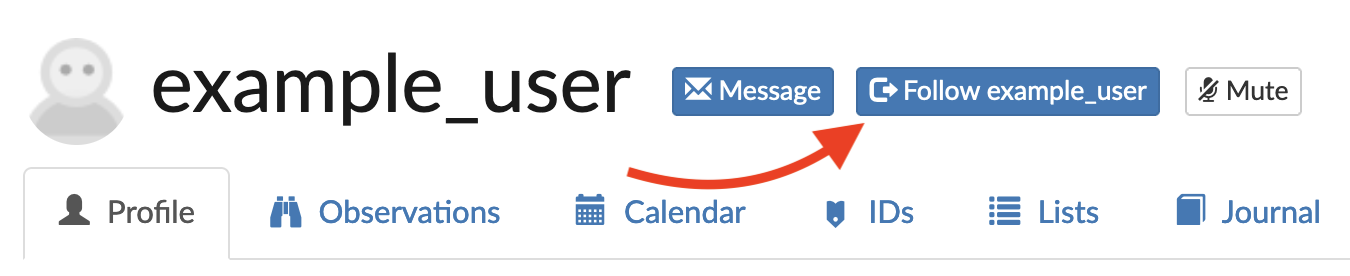
If you're already following an acount, you'll see "Stop following [username]". Click that to stop following the user.
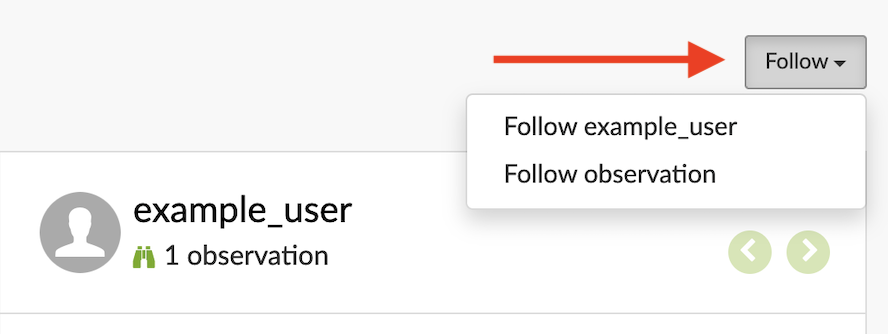
You can also follow a user directly from one of their observations on the iNaturalist website. On the upper right-hand corner of the observation page, click on "Follow". You'll have to option to follow the observer or the individual observation.
iNaturalist iPhone App
You'll need to get to the account's profile page. You can do that by tapping on the username or profile picture of any account on an observation, comment, or identification, or elsewhere in the app. Or you can search directly for observers in the Explore screen. On the profile page, tap on "Follow" to follow the account.
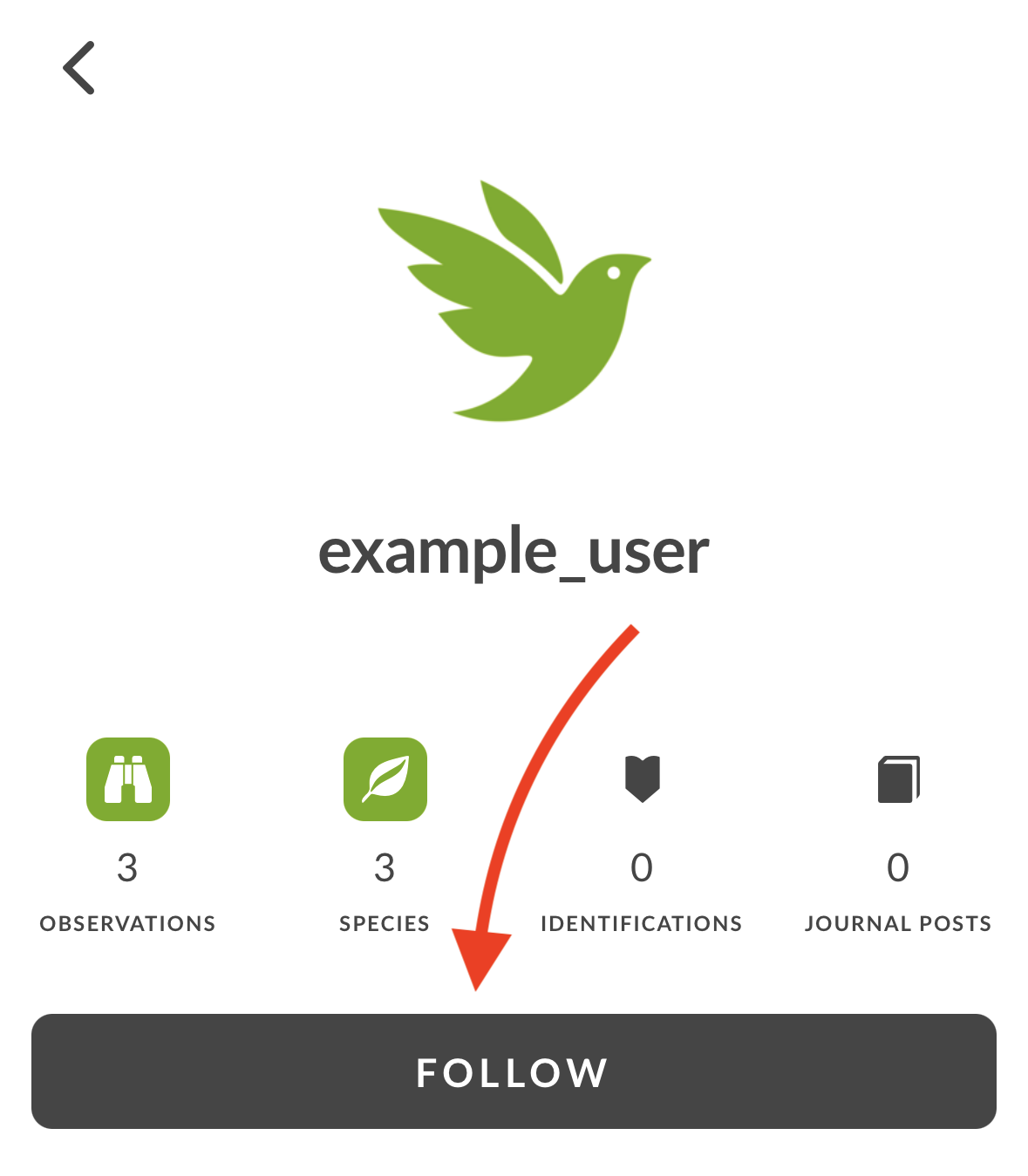
You can also unfollow a user from this page.
Was this article helpful?
That’s Great!
Thank you for your feedback
Sorry! We couldn't be helpful
Thank you for your feedback
Feedback sent
We appreciate your effort and will try to fix the article